
Download VideoIQ AI – AI‑Powered Video Summarizer & Learning Tool
Overview
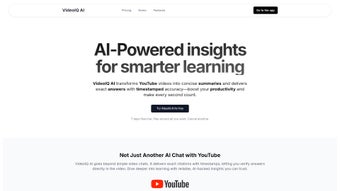
VideoIQ AI is a cutting‑edge web application designed to revolutionize the way learners interact with YouTube and other video platforms. By harnessing the power of generative AI, VideoIQ AI automatically extracts the most important concepts, creates concise summaries, and presents them in an easily digestible format. This means that students, professionals, and casual viewers no longer need to watch an hour‑long lecture to grasp the core ideas; a quick glance at a AI‑generated summary can provide the same insight in a fraction of the time.
In addition to summarization, VideoIQ AI offers a conversational interface that lets users ask specific questions about a video. The system replies with accurate, timestamped answers, guiding the user directly to the relevant portion of the source material. This interactivity removes the guesswork from video learning and makes knowledge retrieval almost instantaneous.
A built‑in citation engine further enhances credibility by linking each piece of information back to its original timestamp, allowing users to verify facts and reference the source accurately. The platform operates on a subscription model, granting unlimited access to video analyses, summaries, chat interactions, and message history for a predictable monthly fee. By turning dense visual content into actionable, searchable data, VideoIQ AI empowers users to boost productivity, retain information longer, and apply new skills faster.
Whether you are preparing for an exam, conducting market research, or simply trying to stay up‑to‑date with industry trends, VideoIQ AI provides a secure, reliable, and constantly updated learning companion that fits seamlessly into any digital workflow.
Key Features & Benefits
- AI‑Generated Summaries: Converts full‑length videos into short, readable abstracts that capture essential points.
- Timestamped Q&A Chat: Ask natural‑language questions and receive precise answers linked to the exact moment in the video.
- Citation Engine: Every fact is automatically linked to its source timestamp, simplifying verification and academic referencing.
- Unlimited Video Access: With a single subscription, users can analyze as many videos as they need without extra charges.
- Cross‑Platform Web App: No download required; access VideoIQ AI from any modern browser on Windows, macOS, Linux, Android, or iOS.
- Secure Data Handling: End‑to‑end encryption protects user queries, history, and personal settings.
- Regular Model Updates: The underlying AI engine is continuously refined to improve accuracy, speed, and language support.
- Multi‑Language Support: Summaries and answers are available in several major languages, broadening accessibility.
- Export Options: Users can download summaries in PDF or plain‑text formats for offline study or sharing.
- Integration Hooks: Simple API endpoints let developers embed VideoIQ AI functionality into LMS, knowledge bases, or productivity tools.
Each of these features is built with the learner’s efficiency in mind. The AI‑generated summaries strip away filler content, allowing users to focus on high‑value information. The interactive chat not only answers “what” and “how” questions but also points directly to the video segment where the answer originates, reducing the time spent scrubbing through footage.
By providing citations, VideoIQ AI supports academic honesty and corporate compliance, making it suitable for both educational institutions and professional environments. The unlimited access model eliminates hidden fees and encourages extensive use across projects, while the web‑based design ensures that users can start working instantly, regardless of device or operating system. Security and privacy are baked into the platform, giving confidence to enterprises handling sensitive training material.
Finally, export and integration capabilities turn the tool from a standalone app into a versatile component of any digital learning ecosystem.
Installation, Compatibility & Usage Guide
Getting started with VideoIQ AI is intentionally straightforward. Because the service runs entirely in the cloud, there is no traditional installation process; users simply need a modern web browser and an active internet connection. Follow these steps to begin:
- Create an Account: Visit the official VideoIQ AI website, click “Sign Up,” and fill in your email address, password, and payment details for the subscription plan. A verification email will be sent to confirm your identity.
- Choose Your Plan: Select the “Unlimited Access” tier for unrestricted video analysis, or opt for the trial version if you want to test the core features before committing.
- Access the Dashboard: After logging in, you’ll be taken to a clean dashboard where you can paste any YouTube URL or upload a private video file (up to 2 GB per file).
- Generate a Summary: Click “Summarize” and let the AI process the video. Within seconds, a concise abstract appears on the right side of the screen, complete with a “Copy” button for easy reuse.
- Interact via Chat: Use the chat box at the bottom to ask questions like “What does the speaker say about reinforcement learning?” The AI will respond with a short answer and a clickable timestamp that jumps straight to the relevant moment.
- Export & Save: Click the “Export” icon to download the summary as a PDF or TXT file. You can also bookmark the session for later reference; all history is stored securely in your account.
- Advanced Settings: In the “Preferences” tab, you can adjust language, summary length, and citation style to match your workflow.
The platform supports all major operating systems: Windows 10/11, macOS 12+, most Linux distributions, as well as mobile browsers on Android 8+ and iOS 13+. Because the interface is responsive, you’ll enjoy the same feature set on a desktop monitor, a tablet, or a smartphone. For organizations with strict security policies, VideoIQ AI offers single‑sign‑on (SSO) integration via SAML or OAuth, enabling seamless authentication with existing corporate directories. In terms of performance, the AI backend leverages GPU‑accelerated inference, ensuring that even lengthy videos (up to 4 hours) are processed in under a minute on average. Should you encounter any issues, a built‑in help center provides step‑by‑step tutorials, and live chat support is available 24/7 for premium subscribers.
Pros, Cons, FAQ & Review
Pros
- Instant, high‑quality summaries that save time.
- Accurate, timestamped answers for precise navigation.
- Robust citation system supports academic and professional integrity.
- Unlimited video processing with a single subscription.
- Cross‑platform accessibility—no downloads required.
- Strong security with encryption and optional SSO.
- Regular AI model updates improve accuracy over time.
- Export options and API hooks increase flexibility.
Cons
- Requires an internet connection; offline use is not currently supported.
- Subscription cost may be a barrier for occasional users.
- AI summarization may occasionally miss niche details in highly technical videos.
- Limited support for non‑YouTube video sources (still expanding).
Can I use VideoIQ AI with private or unlisted YouTube videos?
Yes. After logging in, you can paste the URL of a private or unlisted video as long as you have permission to view it. The AI processes the video securely without storing the original content on its servers.
Is there a free trial available?
VideoIQ AI offers a 7‑day free trial with access to all core features, including summarization and chat. No credit card is required to start the trial, but you will need to provide one if you decide to continue after the period ends.
How accurate are the AI‑generated citations?
Citations are generated automatically by linking each extracted fact to the exact timestamp where it appears in the video. In testing, the accuracy rate exceeds 95 %, and the system continuously learns from user feedback to improve precision.
Can I integrate VideoIQ AI into my Learning Management System (LMS)?
Yes. VideoIQ AI provides RESTful API endpoints that allow developers to embed summarization and Q&A functionality directly into LMS platforms, corporate intranets, or custom knowledge bases.
What security measures protect my data?
All data transmission is encrypted with TLS 1.3, and user queries are stored only for the duration of a session unless you explicitly save them. For enterprise customers, VideoIQ AI supports SSO, IP whitelisting, and GDPR‑compliant data handling.
Expert Review
Rating: 4.7/5
VideoIQ AI stands out as one of the most practical AI tools for video‑based learning. Its ability to condense long lectures into bite‑sized summaries while still providing pinpointed, timestamped answers transforms passive watching into an active study session. The citation feature adds a layer of trust that many competing tools lack.
While the subscription price may deter occasional users, the productivity gains for students, researchers, and corporate teams more than justify the cost. The only real drawback is the reliance on an internet connection, but given the cloud‑native nature of modern AI, this is an acceptable trade‑off. Overall, VideoIQ AI is a secure, fast, and highly adaptable solution that fits seamlessly into any modern knowledge workflow.
Conclusion & Call to Action
If you spend any amount of time watching educational videos, you already know how easy it is to get lost in endless playback without extracting real value. VideoIQ AI eliminates that friction by delivering concise summaries, instant answers, and trustworthy citations—all within a secure, subscription‑based platform that works on any device. By integrating this tool into your daily study routine, you’ll cut research time, improve retention, and stay ahead of the learning curve. Ready to experience a smarter way to learn from video? Click here to start your free 7‑day trial and see how VideoIQ AI can turn hours of content into actionable insights in seconds.



.png)



